This section of the Knock In assistant main menu drawer allows you to configure the way the Knock In assistant manages your notifications.
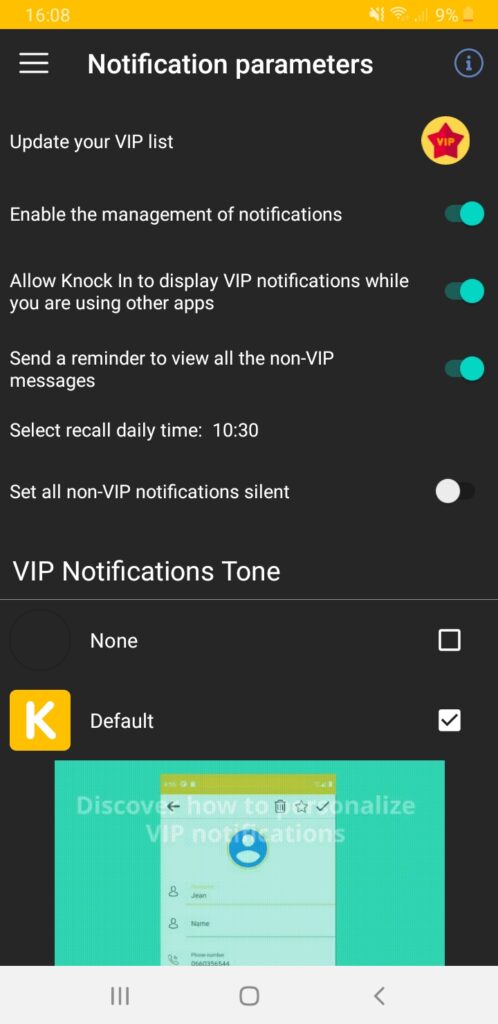
- The Knock In assistant notification service is enabled at the first start of the application. You can temporarily disable it.
- The specific display of VIP notifications is enabled at the initial start of the application. You can temporarily disable it. While disabled, the notifications keep being logged and visible in the notification history.
- The Knock In assistant offers the option of sending you a daily reminder, for viewing all the non VIP notifications received. You can specify the time when you want the reminder to be sent.
- You can choose the ringtone to go with your VIP notifications. Two ringtones are available natively. You can purchase additional ringtone “packs” through the shop so you can further personalize your VIP notifications !